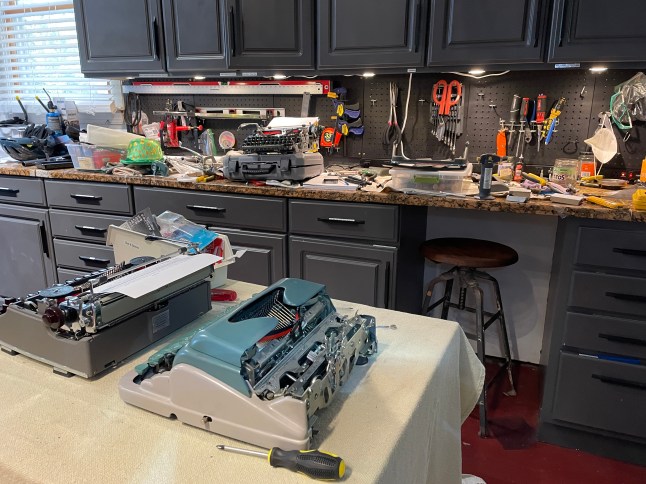
Despite my best intentions and proud declarations of restraint, my garage became congested with typewriters last week and every surface was covered with machines and tools and manuals.
On St. Patrick’s Day, in the parking lot of a McDonald’s in Germantown, MD, I once again met up with my dealer—ahem, my source of broken typewriters. This time around, Michael had two Olympias SMs: an SM4 with a slipping carriage and an SM2 I could “use as a parts machine” if necessary.
Michael had celebrated St. Patrick’s Day the night before and was full of Irish cheek.
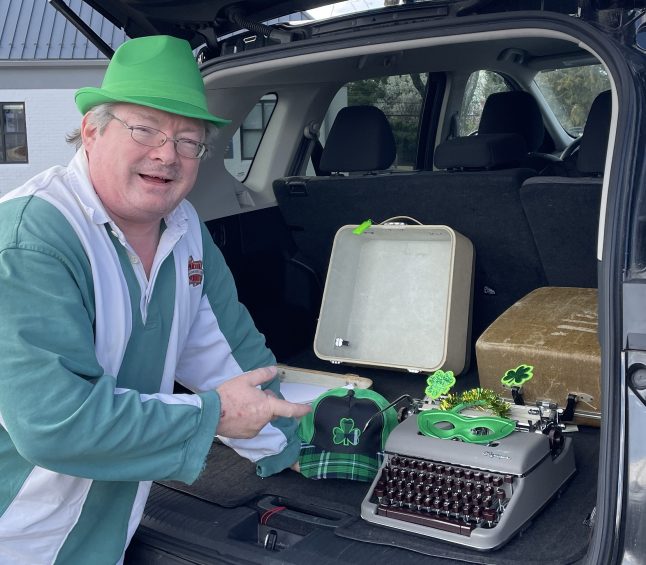
The SM4 was a beauty with a delicious Box O’ Chocolates keyboard. However, the carriage was sliding and wouldn’t catch on the left side of the platen, only allowing typing on the right hand side of the page. When Michael had first told me about the SM4, I had worried that there was a broken escapement piece. However, when I saw it in person, fears of a broken part receded. Since it was typing fine on one side, I had a hunch about this SM4.

The “parts machine” SM2 couldn’t type unless it was in shift lock because the carriage hit the shell. It had the usual disintegrating Olympia bushings, and the machine had sagged over time into its exterior casing. Also, it had taken a hard hit in its life and the left ribbon tower was crumpled over into the typebasket. Though it wasn’t typing, I couldn’t really see it as a “parts machine”.
I absolutely love the logo on the label inside the SM2’s case:

Hilyard’s Inc is still alive and well in the 21st century—but with a different, less appealing logo.
I told Michael that I’d try to get both machines back into action. He passed off the typewriters, gave me a St. Paddy’s hat, and wished me well.

Once back at my garage, I looked at the SM4 first to see if my hunch proved right. Lucky for me and this SM4, I had just watched a YouTube video from HotRod Typewriters that provided me with a starting point.
Yup, loose escapement rack. I could wiggle it with my fingers.

I tightened the escapement rack down and ta-da—no more sliding carriage and the SM4 could type on both sides of the page. Many thanks to Gerren at HotRod Typewriter for mentioning slipping carriages and escapement racks at the end of this video.
Now I have another item for the list of reasons why a typewriter carriage won’t catch and flies off to the left:
- Gummy escapement
- Rusty, crunchy escapement
- Broken escapement part (dog or dog stop)
- Loose or poorly positioned escapement rack
I’ll probably add more reasons to my list, but this is where I’ll start since there are so many typewriters that look like this:

That was the fix for the SM4’s major problem. It was a little dirty, but otherwise sound.
I then turned my attention to the SM2 “parts machine.” It had the degraded rubber washers often found on Olympias, so the carriage wouldn’t move unless it was shifted into upper case. The rubber bushings were flattened and disintegrating.

I replaced all four with bib washers that I picked up at the hardware store some time ago. You can use just about any rubber piece. Here’s a video of Duane at Phoenix Typewriters using slices of rubber tubing for replacement washers:
There was a missing a screw near one bushing. I found the right size metric screw in my random collection of hardware and added a washer – perfect.
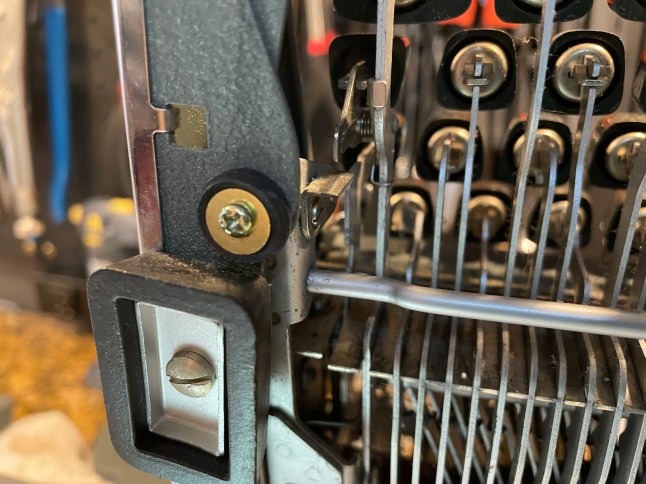
The left ribbon tower of the SM2 was crumpled over. The machine had suffered a catastrophic blow or fall at some time in its past.
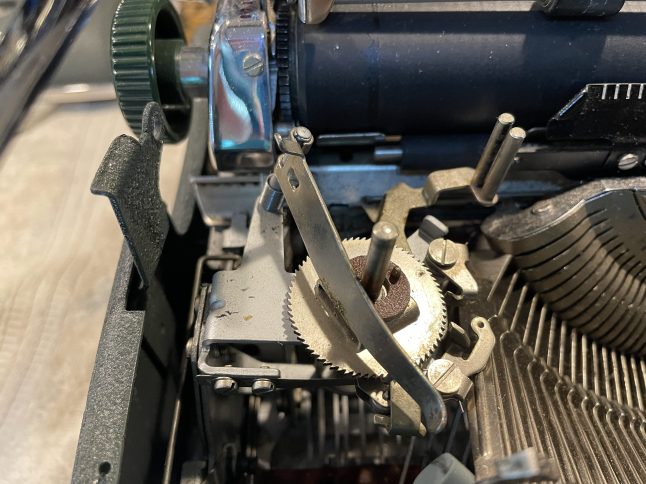
The left ribbon tower was so bent that it was falling into the typebasket on the left and interfering with the shifting arm and typebars on the left.
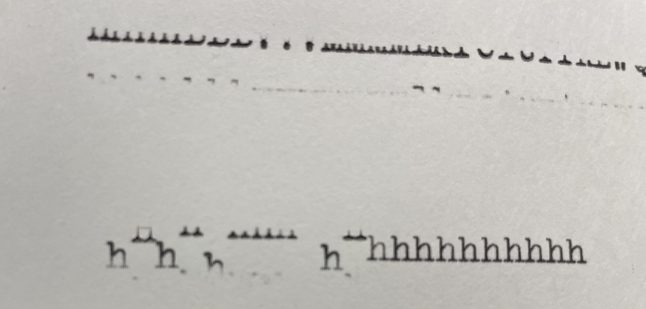
I warmed up the metal tower with my mini-torch and very carefully straightened it out. The shifting arm on the left could now move, but the upper case and lower case alignment was still a little off.

It looked like upper case needed to come down a hair since the tops of the upper case letters were a bit faint.
I removed the casing from the SM2 and put it up on blocks like an old Chevy. Without the footed shell, the mechanics underneath will drag and interfere with testing, so you need to raise it up, either on feet or blocks.
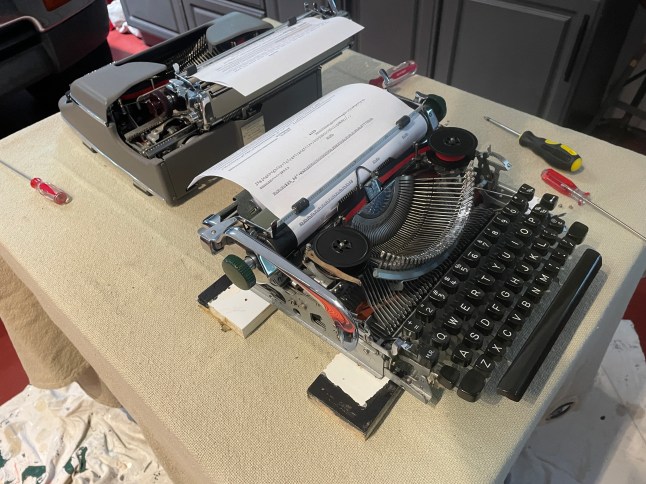
There are four adjustment screws for upper and lower case adjustment, two on either side of the machine.
I wanted my upper case to move down a hair, so I adjusted the top screws. I assume these German typewriters have metric hardware, but a 15/64 ignition wrench loosened the lock nut. After loosening the lock nut, I screwed down the adjustment screws on both sides a tad. I needed more tightening on the right than the left maybe because this typewriter had been dropped and was a bit out of kilter. I then re-tightened the lock nut.

Good enough. Better done than perfect.
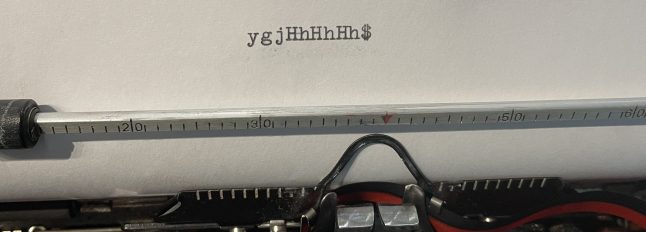
And by the way, someone needs to make an authoritative video on SM upper/lower case adjustment. I paged through my Olympia SM 1, 2, 3, 4, 5, and 7 Typewriter Repair Bible to the “Service Bulletin” at the back that discusses on-feet and motion adjustments. I hadn’t touched “Screw 10” when I made my adjustments. Did I do wrong?
And my shift-lock is still out of whack. Duane from Phoenix Typewriter has a good video on shift-lock adjustment. I think the shift-lock latch might be bent because I brought the adjustment plate all the way down and still couldn’t get the alignment straight in shift-lock. I could enlarge the holes on the plate with a Dremel so I can move it down more, but…I won’t.


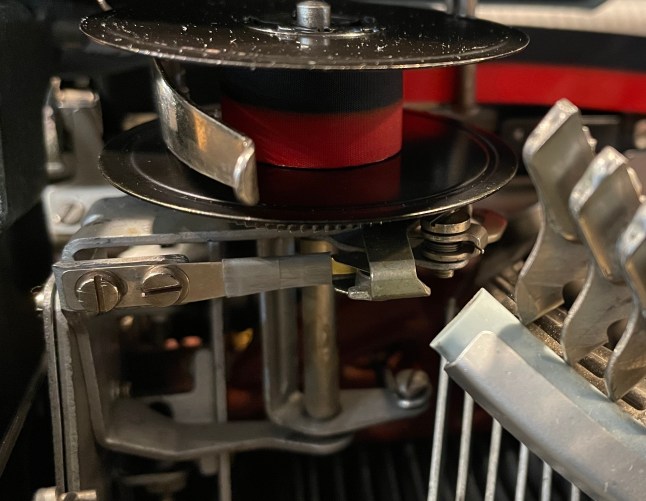
When I had the machine out of its shell, I removed the ribbon tower from the machine for more straightening. To my shameful sorrow, I broke the little spool roller piece in the spool assembly. I repaired it with a thin piece of brass sheeting and duct tape. Lesson learned: slow down.
The outside frame was little bent too, so I straightened it and returned the SM2 to its shell. And here’s a typing test:

Oh, come on! The carriage was stuck in one place even though the slugs were hitting the paper without a problem. Or it would type a little and then stall. I could move the carriage easily with the carriage release depressed, but otherwise, it was stuck in place.
In the Facebook Antique Typewriter Maintenance group, I found a member with a similar problem:

and Gerren from HotRod Typewriter thought it might be a spacebar problem:

And here’s the video:
Typewriters outside their body armor are fragile creatures—handle with care. I must have manhandled this one a bit too vigorously or perhaps the space bar went out of adjustment when I straightened the frame.
Here’s Duane from Phoenix Typewriter making adjustments to the space bar:
After small, very careful tweaking of the spacebar, the SM2 began to behave and type properly.
This SM2 is a pretty little machine and a fantastic typer. It’s a lucky duck, for it successfully escaped its destiny as a “parts machine”.

Lost Dog Update
Long-suffering readers will recall that I attempted to fix an Underwood De Luxe Quiet Tab with a J-B Weld repair of a broken loose dog. And things went well until the repaired tooth broke off.


The J-B Weld dog tooth broke off after less than a page of typing.
I went to Plan B. I submitted a 3D print request to the public library’s maker space, requesting a PLA print with 100% infill density.


I sanded the little PLA print a bit and popped the dog assembly in and hand-tested. It looked rough and terrible, but it worked after sanding the dog tooth a hair.

Exciting! In my haste to reassemble, I wound the mainspring in the wrong direction, and it lost all springiness. In all my years, I have never broken a mainspring before. I had to Dremel off the tabs to open the mainspring case.
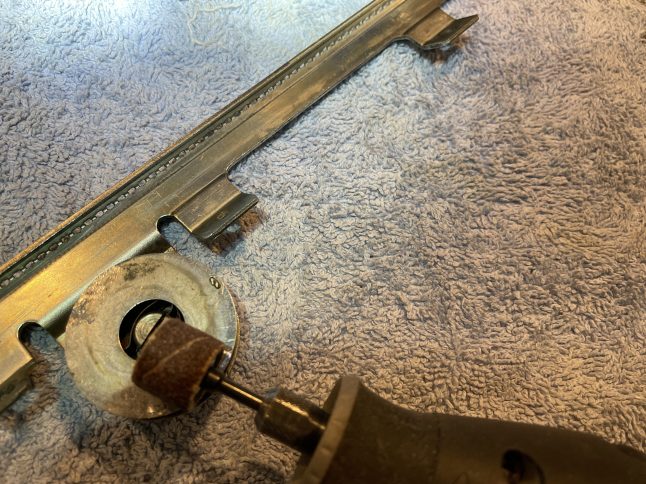
When I opened the case, I found that the spring had slipped from the center slotted spindle when I had wound it the wrong direction. I poked at it, trying to re-seat the spring end and the whole thing jumped out.

It’s razor sharp, so that’s why I wear eye protection and gloves when I deal with mainsprings.
I got the spring secured properly on the center spindle, curled it back inside, and closed up the case. I have taped the mainspring case together with duct tape while I think of a more permanent solution. What’s with me and the duct tape? As the Irish say, it looks like a dog’s breakfast.

I put the carriage back on with three of the four ball bearings in place and typed out a nice (but wobbly) letter to RRTM in Arizona. I kept expecting it to fail, but the little plastic dog survived the letter. Since it hadn’t failed, I decided to put the final ball bearing into the carriage rail and completely reassemble the typewriter. I then typed a full page of nonsense at top speed. My plan: keep testing and see if the plastic dog breaks.

It’s extremely cheap to 3D print at the public library. This loose dog is so tiny that they didn’t even charge me for it. PLA (polylactic acid) is a bioplastic made from plant-based materials. PLA is rigid and strong, but brittle. More durable 3D printing materials are available, but they are $$$.
I am still on the hunt for a replacement dog from a parts machine, but this hardworking, gnarly-looking little plastic dog warms the cockles of my cold heart. Hang in there, you lucky little dog.
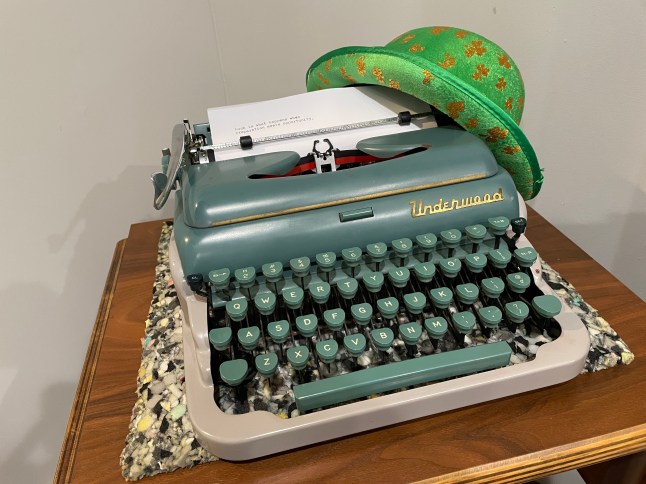
This past week seemed full of magical St. Paddy’s Day luck though Seneca (who was not Irish) supposedly once said:

In the meantime, I need to clear out these four and clean up the garage, so I can make room for new projects.

 myoldtypewriter
Ooh! A letter for me? 😀
LikeLike
It’s on its way across the USA.
LikeLike
Safely delivered by the kind and hardworking agents of the USPS (:
LikeLike
My Irish hat is off to you. I won’t even work on those end of days 1950s Underwood portables.
LikeLike
I put off working on the Underwood De Luxe for years because I nervous to plunge in without a service manual.
LikeLiked by 1 person
Hello There!
I’m a new subscriber to your blog, and I have enjoyed reading your old posts. I’ve been messing around inside some SM3’s and I found some of your posts very helpful. I appreciate the careful walk through you do, and also the consolidation of references into one blog (“Here’s Gerren’s video on the topic..”, or, “Duane suggests this,” or “Here are links to three articles that may be helpful.”) That’s very convenient!
A friend brought me an SM3 that had upper-case/lower-case alignment problems so bad that the lower-case letters were literally printing on a different line. He had two “professional repair shops” turn down the project. One said, “Too costly to repair.” The other said “At least $190, and we can’t guarantee we ca fix it.” I told him, “Well, that’s just a challenge then, isn’t it?!?!”
I found your blog post “Oly Oly O!” on this here: https://myoldtypewriter.com/2016/07/18/oly-oly-o/
“Too costly to repair?” “At least $190?” Following your process, I nailed it in less than 5 minutes! Perfect.
Here’s a quick video of the process. The foul language at the end…I apologize for that in advance, but they were curses of joy and celebration!
Thanks so much.
Chris Odd Birds Typorium https://www.instagram.com/oddbirdstyporium/
LikeLiked by 1 person
Oh my goodness! Thank you so much for including the video.
I hesitated to add a link to my post “Oly Oly O” because it’s so old (8 years) and I was young in my typewriter journey. When I say I muddled my way to proper alignment on that Olympia, that’s the truth. I should have included a link to the post anyhow, if only for the very sweet beer ad featuring a young Teri Garr. 🙂
LikeLike
Ahh, yeah, Gerren mentions those brackets in his Olympia SM video series. Nice to know the symptoms presented by them being loose (:
LikeLiked by 1 person
Rob Bowker (Typewriter Haven) has several posts on repairing the SM2 & 3 on his blog. I’m unsure about videos. Rob Messenger and I also have posts on the carriage / spacer problems and UC/lc alignment. You got yours working fine so I doubt you’ll need more references.
Super work on the Underwood. That model has one of the worst escapements to work on.
LikeLike
I’m glad that I finally dug into the Underwood. There is very little documentation on Underwood portables of this era, so I learned a lot.
LikeLike
Thanks for sharing your great work on these machines! I’ve been hesitant to even touch my typewriters for fear of breaking something, but you’re giving me confidence that I can get them back to full working condition. I really appreciate the detailed walk-through!
LikeLike
That’s really nice to hear. I find a lot of joy in tinkering with troubled typewriters. Best practices: go slow and take lots of pictures.
LikeLiked by 1 person
My thanks, again, Mary for bringing these two classic Olympia typers back to life! I guess that some of “the luck of the Irish” must have rubbed off on them in that McDonald’s parking lot on Saint Patrick’s Day :) Take care and I’m looking forward to reading about your next adventure in the Typosphere . . .
LikeLike
I am forever grateful to you for providing me with these dysfunctional typewriters to fool with. When I return to Virginia, I’ll touch base and we can see which one of the other misbehaving typewriters in your collection I should address next.
LikeLiked by 1 person
Thanks Mary, and I hope that you and yours are enjoying your time with the ‘New Project’ in California :) My brother Mark & his wife have recently become grandparents (for the second time), down in San Diego. Safe travels, and when you return to Virginia there will be several “interesting” projects for you to choose from . . .
LikeLike
Oh goody! So excited to have re-discovered your blog. I have a feeling the dusty and sick typers in The Nether will be gradually coming to life!
LikeLike
Your blog, Tony’s Vision, was one of the first typewriter blogs I came across. Thanks to your post on an ailing Oliver, I was able to get mine running again.
LikeLike